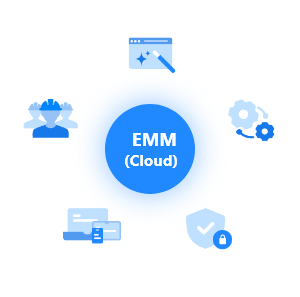
EMM (Cloud)

known as Knox Manage

Elevating efficiency across all work environments

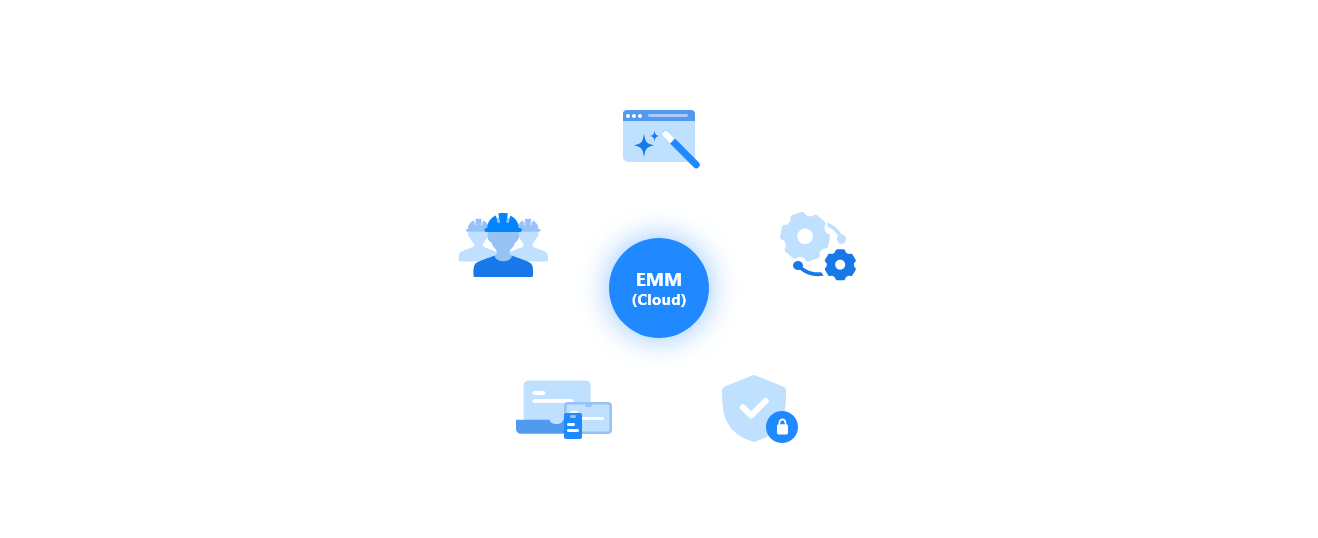
EMM is an enterprise solution that simplifies managing and setting up all your employees' devices, no matter their OS or type. You can effortlessly handle everything from devices to applications and content through a single console.

EMM (Cloud), known and Knox Manage, is a cloud-based solution designed for an intuitive user experience. It simplifies support for frontline staff and seamlessly integrates with Samsung Knox solutions.

Value Proposition

Effortless user experience with Getting Started wizard, Kiosk wizard, and mobile console support

Simplify onboarding with a Getting Started wizard and offer intuitive Kiosk features through a drag-and-drop Kiosk wizard

Support remote execution of IT admin via mobile console support
Boost productivity for office and field workers with management tools like periodic location tracking and remote access

Provide periodic location tracking and remote access tolls for efficient workflow and asset management

Offer multi-app Kiosk and support diverse event-based policy

Powered by Samsung with Knox Solutions like Knox Mobile Enrollment and customer support tools

Offer easy access across Knox solutions like Knox Mobile Enrollment and Knox E-FOTA

Provide comprehensive support tools for Samsung devices and solutions

Features

Intuitive User Experience

Streamline IT admin's workload and boost productivity with our easy-to-use assistant feature like a step-by-step Getting Started wizard

Empower with Seamless
Samsung Integration

Maximize efficiency with seamless Knox Suite software and Samsung devices. With convenient cross-access integration, enjoy end-to-end support

Security focused Data Protection

Ensure the safety of your corporate data and compliance with regulations

Enhanced Multi-OS Support

Compatible with a wide range of OS without any restrictions; Android, iOS, Windows, WearOS, and Chrome

Perfect Fit for Frontline

Whether in the office or out in the field, unlock your device’s potential with powerful management tools for location tracking and recording

Videos

  • Experience how EMM (Cloud) makes mobility management easy with comprehensive features overview

00

00

Use Cases

01
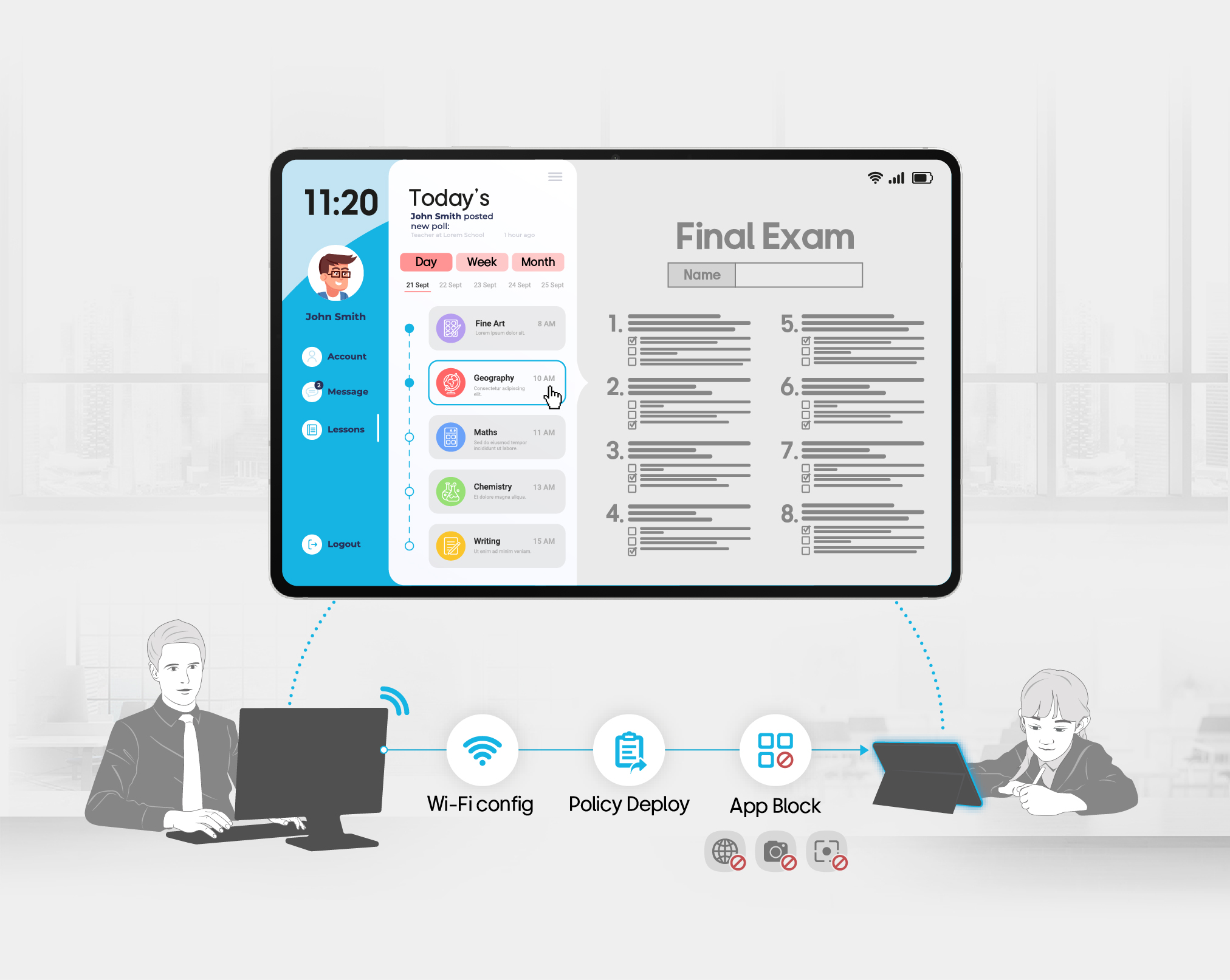
Provide end-to-end Samsung Education Edition to manage devices in school and digitize exams

Diagram illustrating an education MDM solution. A tablet displays a student learning app for user John Smith, showing today's schedule with subjects including Fine Art (8 AM), Geography (10 AM), Maths (11 AM), Chemistry (11 AM), and Writing (15 AM), alongside a Final Exam sheet with 8 numbered questions. Below, an IT administrator at a desktop computer remotely configures a student's tablet through three sequential steps: Wi-Fi config, Policy Deploy, and App Block. Icons at the bottom indicate that the browser, camera, and screenshot functions are blocked on the student device.
Management tools for central device monitoring and exam digitization

  • Management tools for central device monitoring and remote installation of apps

  • Remotely set up WIFI SSID configuration and security policies on the devices for online final exam

  • Block usage of camera, screen capture, and call/message to prevent students from cheating during the exam

  • Separate tenants for convenient device management per user groups – teachers and students

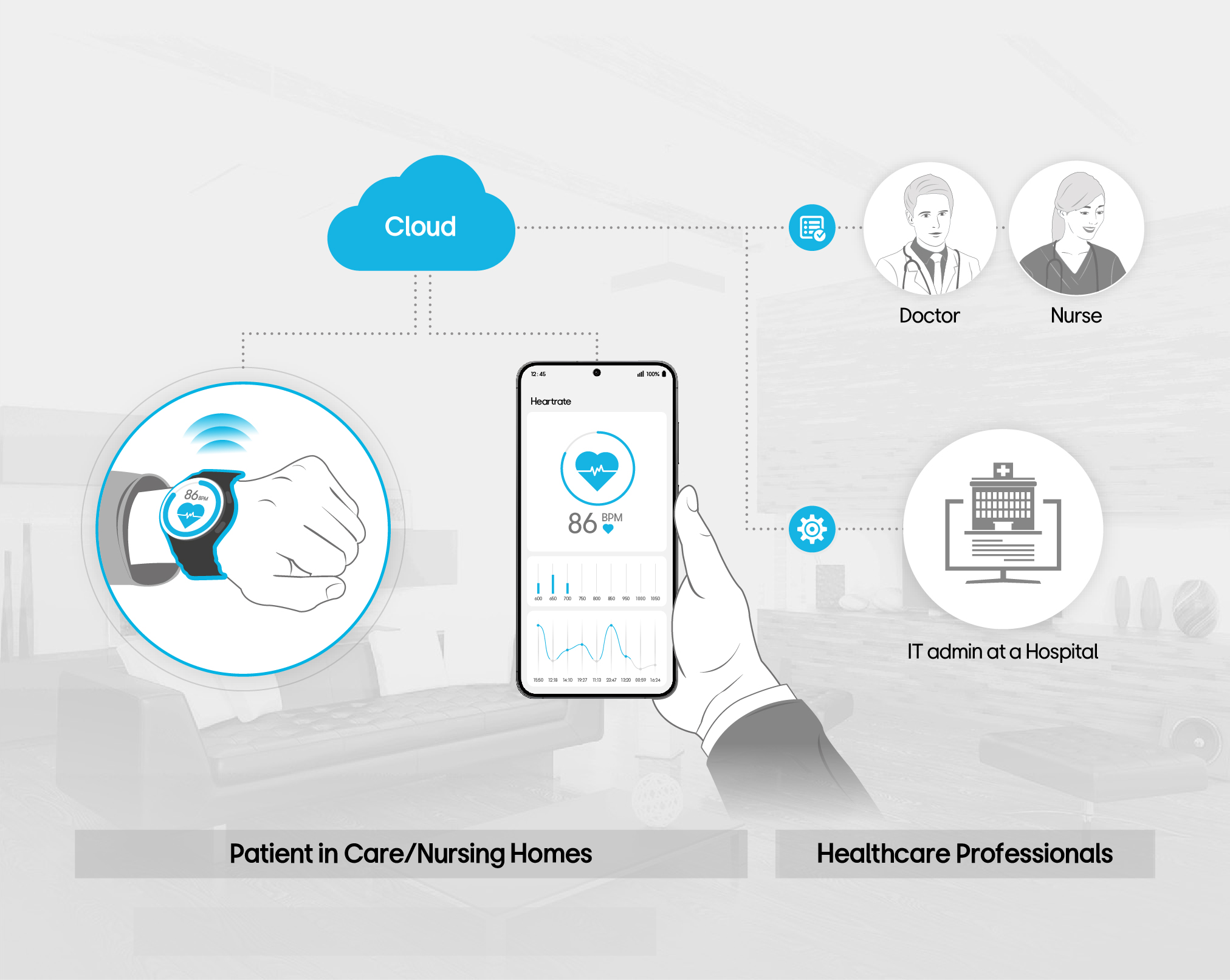
  • Support wearable devices in healthcare to keep track of patient’s data and to send to care/nursing homes for monitoring

    Diagram illustrating a healthcare IoT and MDM solution connecting two groups. On the left, labeled "Patient in Care/Nursing Homes," a patient wears a smartwatch displaying a heart rate of 86 BPM, and holds a smartphone running a heart rate monitoring app showing 86 BPM with a graph. Data is transmitted to a Cloud, which connects to the right side, labeled "Healthcare Professionals," where a Doctor and Nurse receive the patient data. A separate connection via a settings icon links to an IT admin at a Hospital, represented by a hospital building icon with a monitor.
    Wearable healthcare solution based on Galaxy Watch to collect homecare patients vital data for healthcare service providers

  • Monitor physiological and fall data for care receivers in care homes/ nursing homes

  • Collect and integrate data from the wearable devices to existing back office platform for managing healthcare data

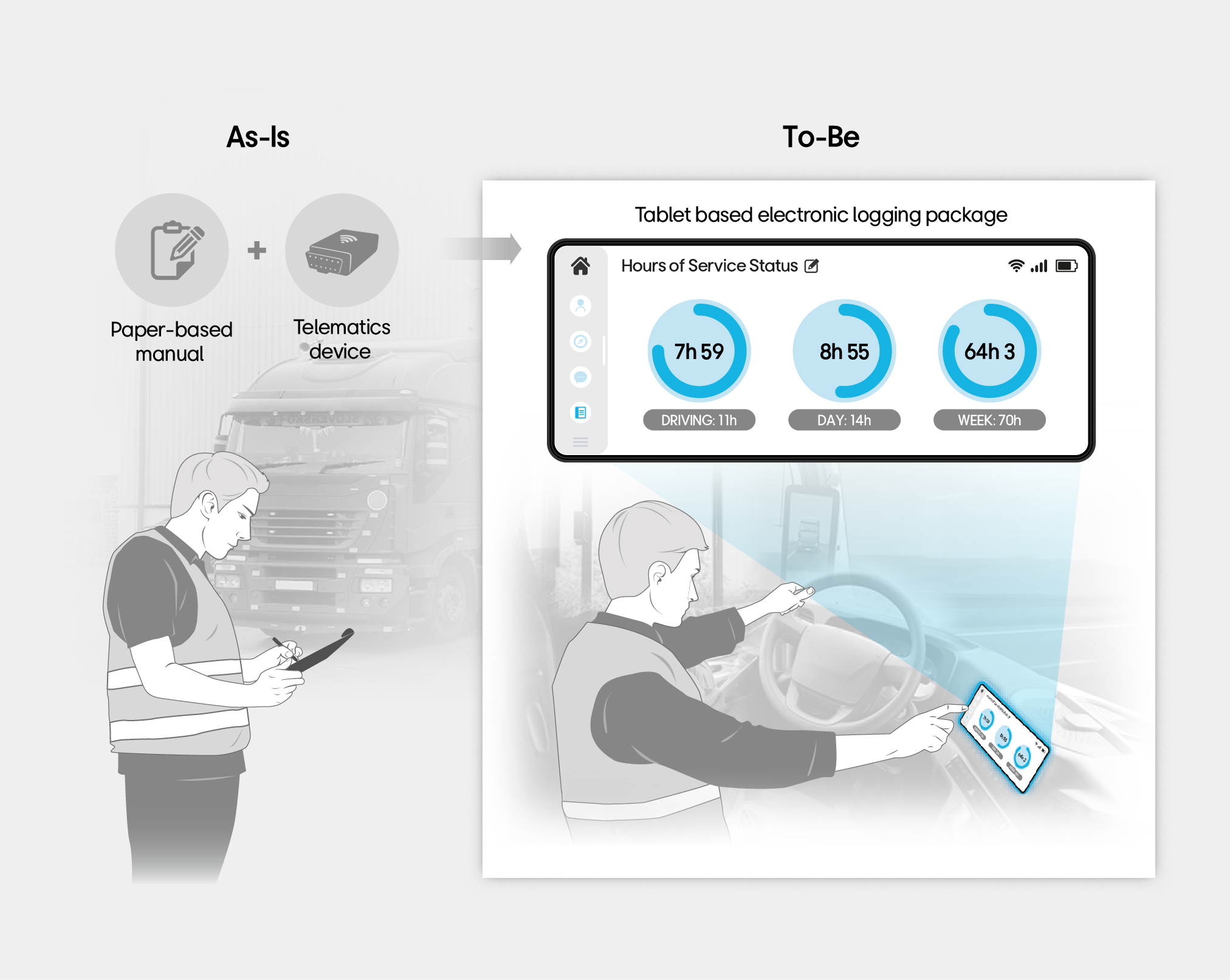
  • Mobilize truck drivers and send alerts to meet guidelines

    Diagram comparing As-Is and To-Be states for a transportation logging solution. On the left (As-Is), a field worker stands outside a truck recording data manually using a paper-based manual and a telematics device. On the right (To-Be), the solution is replaced by a tablet-based electronic logging package. The tablet screen displays "Hours of Service Status" with three donut charts: 7 hours 59 minutes (Driving limit: 11h), 8 hours 55 minutes (Day limit: 14h), and 64 hours 3 minutes (Week limit: 70h). A driver is shown inside the truck cab using the tablet.
    Tablet based electronic logging package for a logistic company which helps to reduce HOS (Hours of Service) violations and management efforts

  • Replace paper-based manual input of service hours & telematics device with Tablets + telematics app

  • Enable truck drivers to easily record, edit, and report on HOS requirements and enhance its accuracy

  • Meet FMCSA compliance* and minimize inspection risk

  • Alerts sent to device when exceeds speed limit


  • * Compliance with federal motor carrier safety and commercial regulations

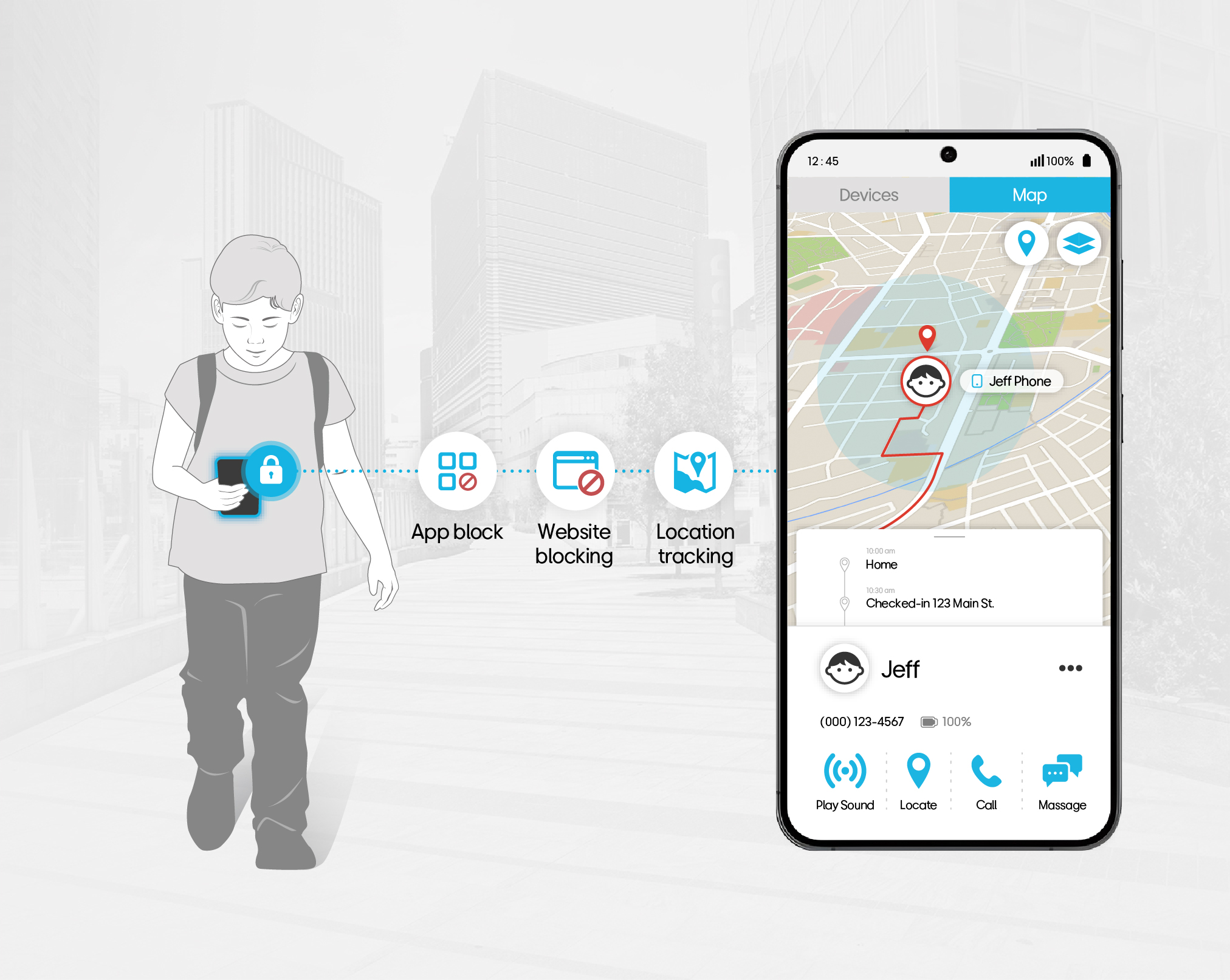
    Secure kid phones to manage contents displayed and to track location of the kids

    Diagram illustrating a child device management and parental control solution. On the left, a child walks outdoors holding a locked smartphone. Three feature icons are shown in sequence: App block, Website blocking, and Location tracking. On the right, a smartphone screen displays a map with a location pin labeled "Jeff Phone," and a detail panel showing the child's home address and check-in location at 123 Main St. A profile section shows the child's name "Jeff," phone number (000) 123-4567, and 100% battery. Four action buttons are available: Play Sound, Locate, Call, and Message.
    Samsung device with EMM (Cloud) as a secure kids' phone, managing the content displayed and ensuing the child's safety through location tracking

  • Block apps and websites that are inappropriate for kids

  • Location tracking to keep track of kid’s location
  • Recognition

    Samsung SDS acknowledged by global experts

    Certificates

    • Android Enterprise
      Recommended
      Android Enterprise Recommended devices and solutions are verified by Android Enterprise as meeting strict enterprise requirements.
    • Chrome Enterprise Recommended
      Highest partnership requirements set for ChromeOS platform by Google
    • Trust Services Criteria for SOC
      Ensuring the security and confidentiality of business data in the cloud with the trusted standards by the AICPA
      * SOC 2 certification was awarded to Samsung Electronics.. However, Samsung SDS, which is responsible for overall operations, participated in this certification as a subsidiary service organization.
    • VAPT
      Vulnerability Assessment and Penetration Testing
      A comprehensive security assessment process to identify, prioritize, and mitigate vulnerabilities in an organization's IT infrastructure

    Let’s talk

    Whether you’re looking for a specific business solution or just need some questions answered, we’re here to help