

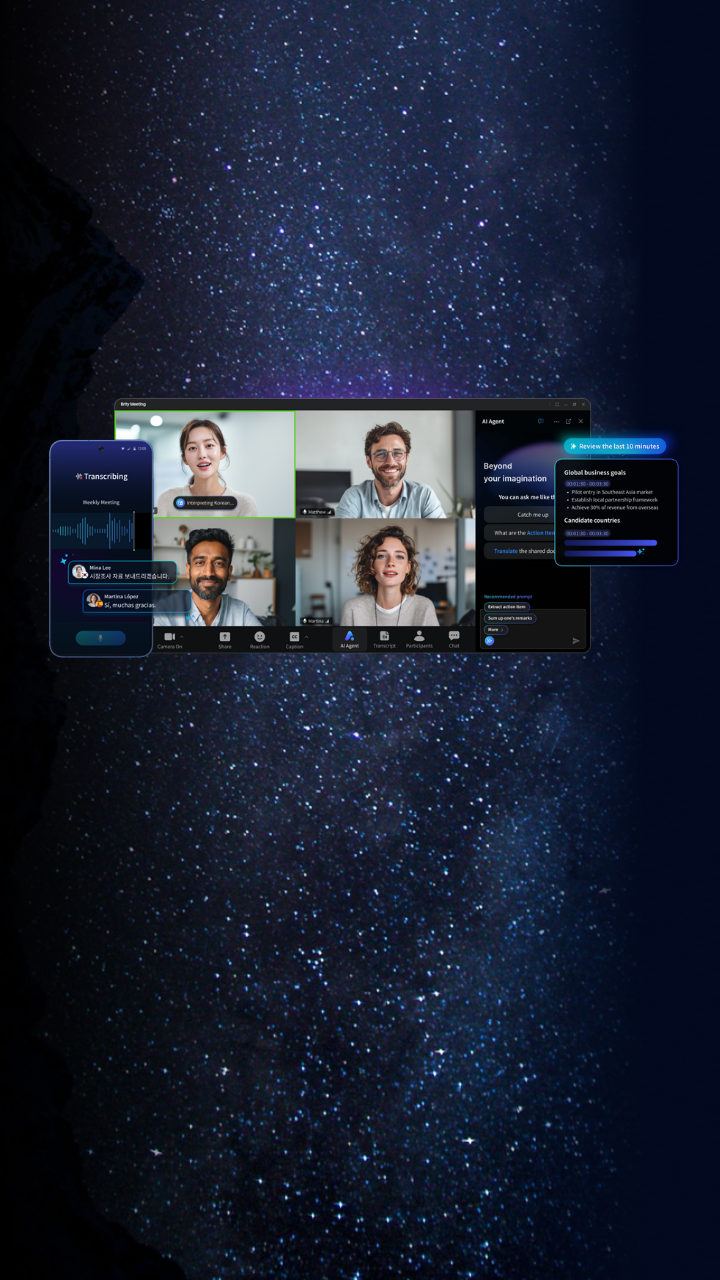
Brity Meeting

AI-powered meeting solution,
communicate anytime, anywhere

Even in a world more connected than ever,
why are communication barriers still so hard to overcome?

brity_meeting_hero_bg

GPUaaS_hero_bg_mobile

Breaking every barrier to seamless communication

Brity Meeting AI Agent

Multi-language Recognition
Real-time AI Translation
Speaker Diarization
AI Meeting Minutes

Innovate your meeting experience with AI Agent

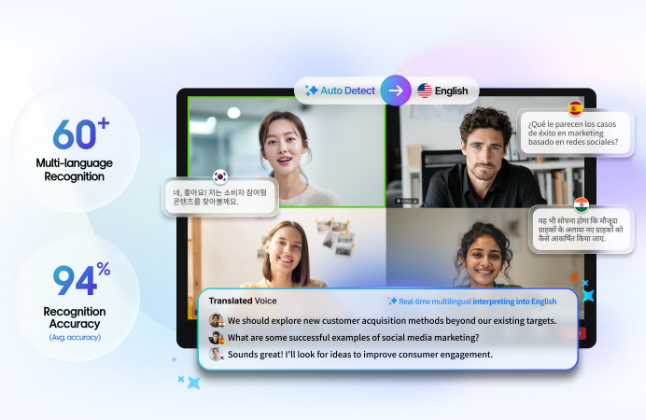
Break language barrier

AI Agent powers multilingual meetings with real-time speech recognition and interpretation. Handling multiple languages simultaneously makes it unlike any other meeting solution.
brity_meeting_box_img_01
Screenshot of a real-time multilingual video conferencing interface with four participants speaking Korean, Spanish, and Hindi. The system automatically detects languages and interprets them into English. Key stats shown: 60+ multi-language recognition and 94% recognition accuracy (average). A “Translated Voice” panel at the bottom displays real-time English transcriptions of all participants’ speech.
Break the boundaries of space

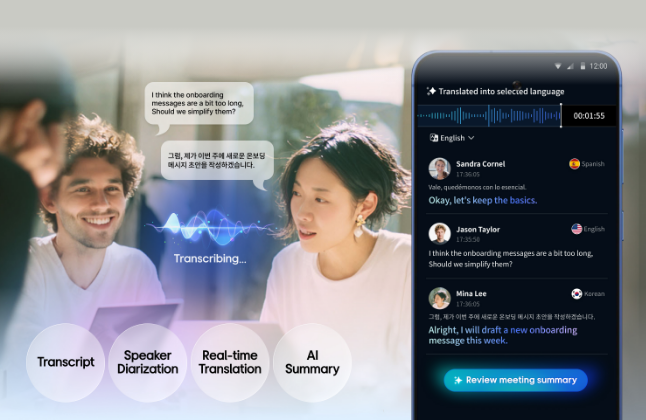
AI Agent digitalizes every conversation in face-to-face meetings through transcription and speaker diarization.

* Speaker diarization will be available from November 2025.

brity_meeting_box_img_02
Illustration of a real-time speech transcription and translation app in use during an in-person conversation between two people. Speech bubbles show dialogue in English and Korean. A smartphone screen displays the “Translated into selected language” interface, showing timestamped, speaker-identified translations for Sandra Cornel (Spanish), Jason Taylor (English), and Mina Lee (Korean), all translated into English. Key features listed: Transcript, Speaker Diarization, Real-time Translation, and AI Summary.

Break the workload

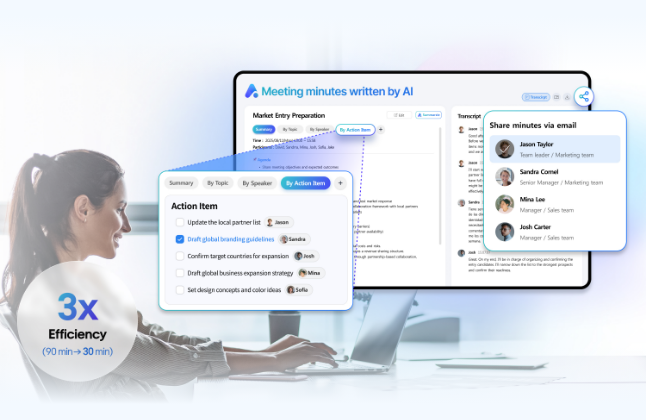
AI Agent automatically generates meeting minutes, reducing post-meeting workload and enabling participants to focus on what matters most.

brity_meeting_box_img_03
Screenshot of an AI-powered meeting minutes tool titled “Meeting minutes written by AI,” showing a “Market Entry Preparation” meeting summary. The interface displays tabs for Summary, By Topic, By Speaker, and By Action Item. The Action Item tab lists tasks assigned to specific team members. A “Share minutes via email” popup shows recipients including Jason Taylor (Team leader, Marketing team), Sandra Cornel (Senior Manager, Marketing team), Mina Lee (Manager, Sales team), and Josh Carter (Manager, Sales team). A badge in the lower left reads “3x Efficiency (90 min → 30 min).” I

Videos

  • A new way to communicate, Brity Meeting

00

00

Features

01
Various conference modes for different purpose

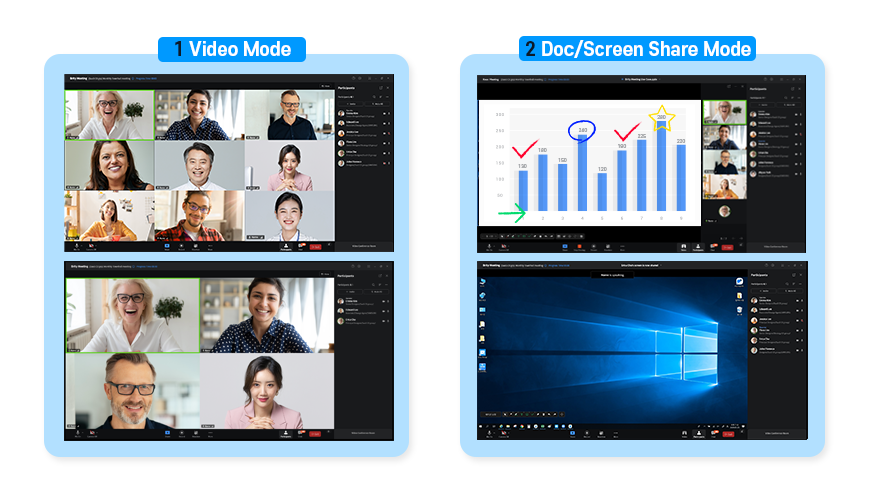
Side-by-side screenshots comparing two video conferencing display modes. Mode 1 (Video Mode) shows a gallery view with multiple participants’ video feeds displayed in a grid. Mode 2 (Doc/Screen Share Mode) shows a bar chart presentation being shared on the top screen, and a Windows desktop screen share on the bottom screen, each with participant panels on the right side.

Brity Meeting supports various conference modes, including the very lively Video Conference mode for 2, 4, 9, 16 and 25 participants, Presentation mode for seminars and online courses, and Screen Sharing mode. You can select and utilize the mode that is the most appropriate for your purpose.

Document conference and notation features

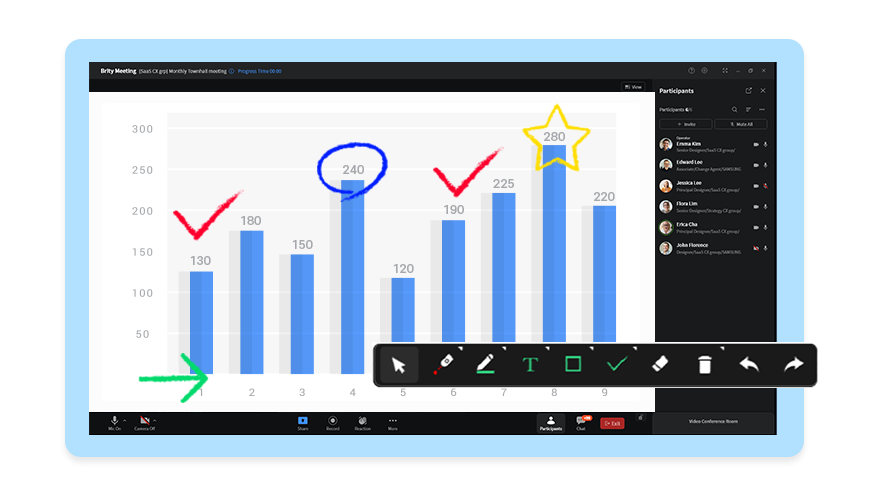
Screenshot of the Brity Meeting video conferencing platform in document sharing mode, displaying a bar chart with values ranging from 120 to 280. Annotation tools are visible in a toolbar at the bottom, and a presenter has added drawing annotations including circles, checkmarks, a star, and an arrow on the chart. The Participants panel on the right lists attendees including Emma Kim, Edward Lee, Jessica Lee, Flora Lim, Erica Cho, and John Florence.

During a conference, all participants can freely upload contents, such as documents and pictures, and add notations over the shared content by using the Pen tool.

Screen sharing and remote control

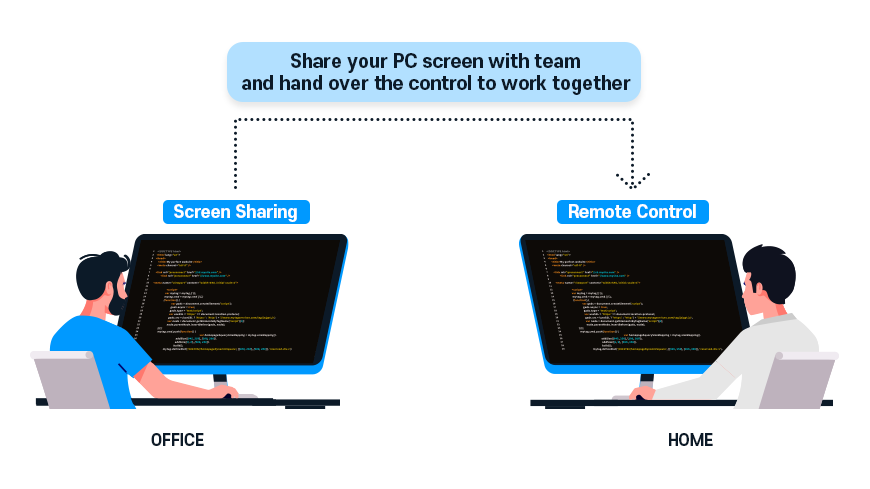
Illustration showing a remote collaboration scenario with the caption “Share your PC screen with team and hand over the control to work together.” On the left, a person at an office desk shares their screen (labeled “Screen Sharing”). On the right, a person working from home receives remote control access (labeled “Remote Control”). Both monitors display code editors.

Presenter can share the screen of a PC screen and specific applications in real-time. Also, the presenter can hand over the control of the mouse to other participants to allow remote control of the shared screen.

Interaction features

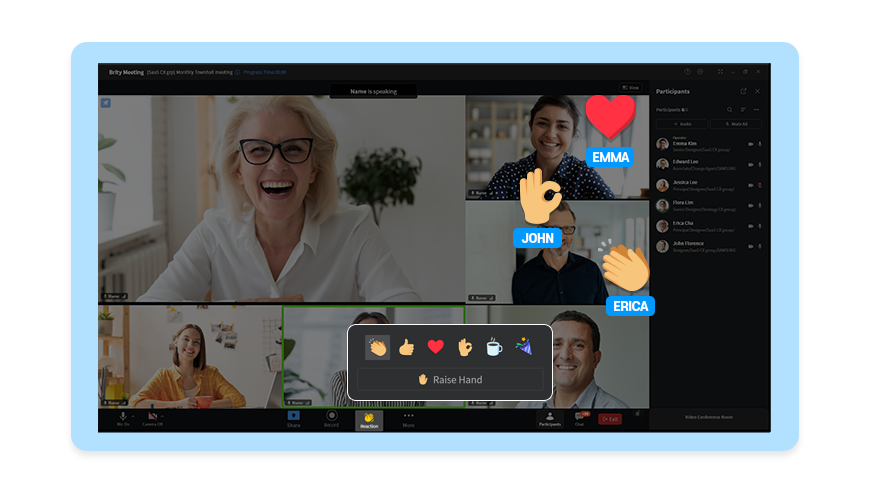
Screenshot of the Brity Meeting platform during a live video call with multiple participants. Emoji reactions are displayed on participants’ video tiles — a heart on Emma’s tile, an OK hand on John’s tile, and clapping hands on Erica’s tile. A reaction picker popup is shown at the bottom of the screen, including options for clapping, thumbs up, heart, OK hand, coffee cup, and confetti, along with a “Raise Hand” button.

Interaction features, such as “Reaction Emoji”, “Raise Hand” and “Poll,” make your conferences more active. Through the interaction features, the presenter can see the reactions of other participants in real time, which makes Brity Meeting an ideal tool for a lively online education experience.

Security features

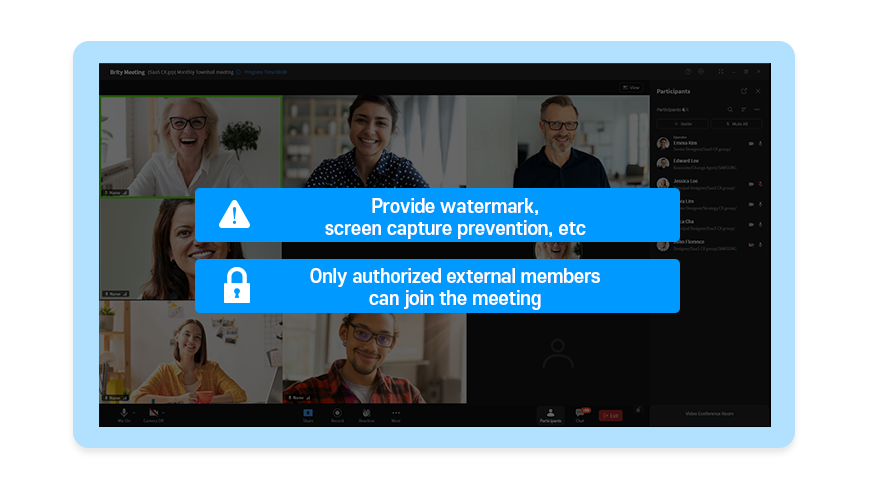
Screenshot of the Brity Meeting platform showing a group video call with six participants. Two security feature callouts are overlaid on the screen: a warning icon with the text “Provide watermark, screen capture prevention, etc.” and a lock icon with the text “Only authorized external members can join the meeting.”

The watermark and screen capture protection features are provided to securely protect the conference materials from external exposure. If necessary, administrator can add a rule so that only authorized external participants can attend the meeting.

Convenient invitation and participation

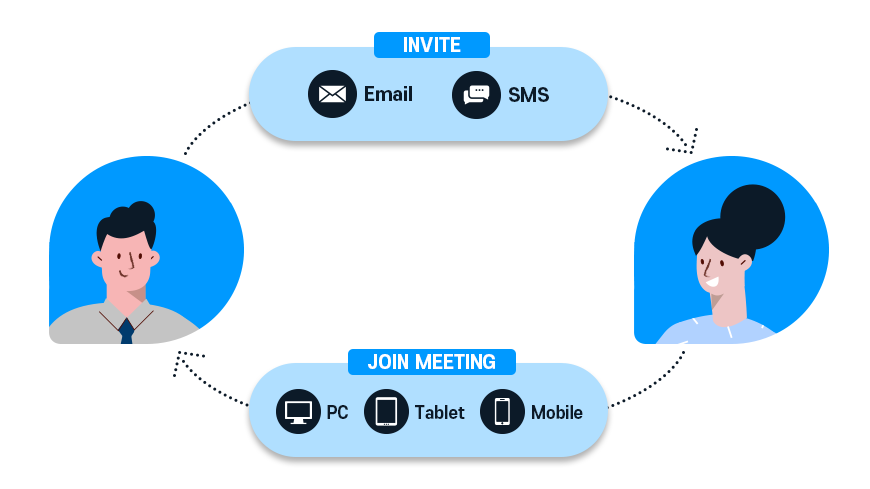
Diagram illustrating the process of inviting and joining a meeting. A host figure on the left sends invitations via Email or SMS (labeled “INVITE”) to a guest figure on the right. The guest then joins the meeting (labeled “JOIN MEETING”) via PC, Tablet, or Mobile, completing a circular flow back to the host.​​​​​​​​​​​​​​​​

Host can set the conference to send notifications via SMS or email as soon as the scheduling is complete and provide reminders shortly before the conference. Participants can conveniently join the conference by accessing the URL provided in the SMS or email.

If you want to know more, please consult with an expert directly.

Use Cases

Discuss business issues in real time using Brity Meeting without business trip

Discuss business issues in real time using Brity Meeting without business trip
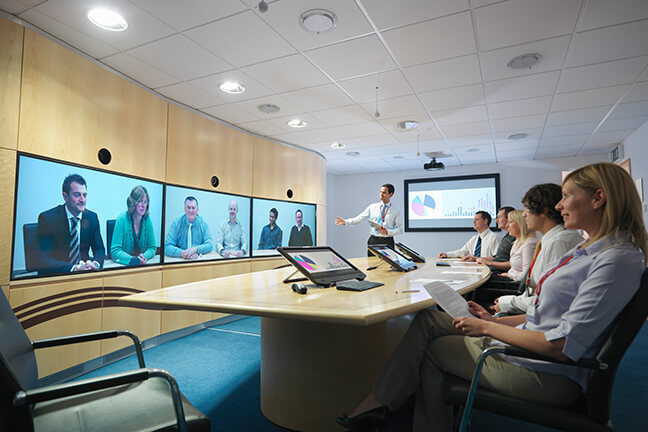
Employees can attend meetings at HQ without actually having to go there. Save time, preserve travel budgets, and devote your efforts to discussing issues and finding solutions.

Real-time online training for global office through document sharing in meetings

Real-time online training for global office through document sharing in meetings
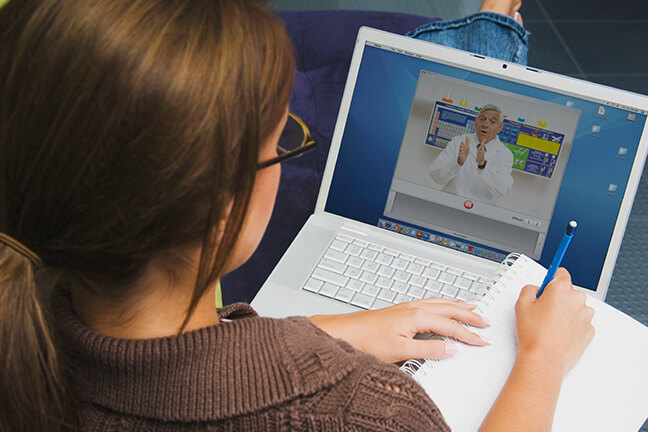
Invite employees to online product trainings so they never have to leave their office.

Price Plan

Brity Meeting

Choose the pricing plan that best fits your company based on its size and the features you need.

Trial Standard Webinar
0KRW ID per Month

18,000KRW ID per Month

44,000KRW ID per Month

For Webinar & Conference

30,000KRW ID per Month

Upgrade your meeting experience

Max. 100 participants,
up to 50 min. per meeting
Max. 300 participants,
up to 48 hrs. per meeting
Max. 500 participants Max. 1,000 pariticipants : 80,000 KRW/ID
Max. 2,000 participants : Contatct US
Max. 300 participants,
up to 48 hrs. per meeting
Key Features Key Features Standard Plan features Standard Plan features
  • - Whiteboard and Annotation
  • - Screen sharing / remote control
  • - Survey / meeting recordings / virtual background
  • - Video and Document meeting
  • - Whiteboard and Annotation
  • - Screen sharing / remote control
  • - Survey / meeting recordings / virtual background
  • - Security Features
    (Access management, Screen capture prevention, Watermark)
  • - Speaker-focused screen layout
  • - Remote control over participants MIC
  • - Real time chat room (Q&A)
  • - Survey and Quiz features
  • - Multi-language recognition
  • - Live caption and transcription
  • - AI translation/Interpretation
  • - Quick recap during the meeting
  • - Meeting minutes after the meeting
  • - Same service on mobile
  • Trial do not guarantee SLA.
  • Customer support and SLA are provided based on the selected Plan.
  • The prices of paid plans does not include VAT.
  • If your enterprise is eligible for SME vouchers, please inquire with us. (Discounts available)

Related Websites

Let’s talk

Whether you’re looking for a specific business solution or just need some questions answered, we’re here to help